The short answer
Choose the Pixhawk 6C or 6C Mini when you want a complete controller with its connectors built in, and the 6X or 6X Pro when you need to choose the baseboard, for example one that also carries a Jetson or Raspberry Pi. The 6C has two analog power inputs and the 6C Mini one, while the 6X family senses power digitally on two inputs.
- The 6C Plastic and 6C Aluminum differ only in the case. Choose aluminium near heat or radio sources.
- A 6X module can't be wired in on its own, so order the baseboard as a second line.
- On a 6X, the baseboard's outline is what has to fit the bay.
Pixhawk 6C, 6C Mini, 6X or 6X Pro: which flight controller should you choose?
The four names cover two quite different kinds of product. Two are finished flight controllers. The other two are compute modules that do nothing until you also choose a baseboard. Settle that first and the rest of the comparison is short.
Decide the packaging before you compare the processors
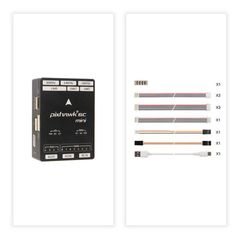
The Pixhawk 6C and 6C Mini are complete controllers: the compute, the sensors and the connectors are in one housing, and the connector set you get is the connector set the manufacturer chose. You buy one part number, bolt it in and wire it up.
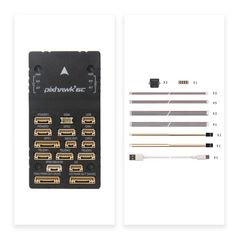
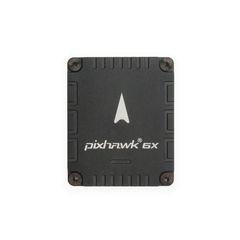
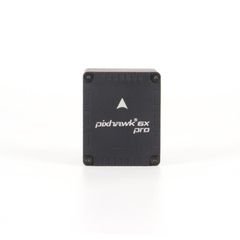
The Pixhawk 6X and 6X Pro are compute modules built to the Pixhawk Autopilot Bus standard. They carry the processor and the sensors (on the 6X Pro, with sensor isolation inside the module), while every connector and the mounting footprint belong to a separate baseboard that you choose. Each product page says which kind it is.
That difference decides more than the price. With a 6C you design the aircraft around a fixed set of ports. With a 6X you choose the ports, which helps when the airframe has an unusual number of sensors, when the vehicle isn't an aircraft at all, or when a companion computer has to share the board. It is extra work you don't need when the schedule is tight and the aircraft is ordinary.
What a separate baseboard buys, and what it costs
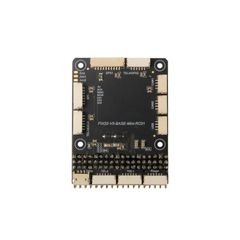
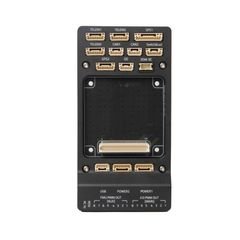
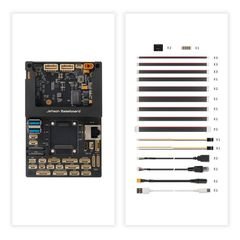
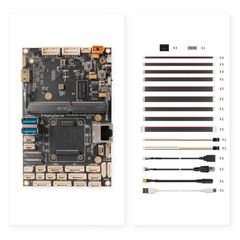
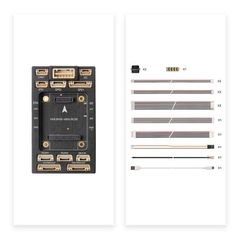
There are five baseboards for the 5X, 6X, 6X-RT and 6X Pro modules: a Standard Baseboard V2A and V2B, a Mini Baseboard for tight airframes, a Jetson baseboard that carries an NVIDIA companion module on the same board, and an RPi CM4 baseboard that does the same for a Raspberry Pi Compute Module 4.
You gain a lot. A damaged connector means replacing a baseboard, and the autopilot survives. You can pick a footprint that fits the frame. With the Jetson or CM4 boards, the companion computer is wired to the autopilot on the board itself, with no hand-built harness between two separately mounted boards.
The price is two part numbers, two revisions and two sets of documents to keep track of, and a bill of materials that is wrong if either is missing. A 6X ordered without a baseboard is not a flight controller. We say it plainly because it is the most common way this order goes wrong.
The 6C variants differ only in the case
The Pixhawk 6C comes as two part numbers that differ only in the housing: 6C Plastic (SKU 11054) and 6C Aluminum (SKU 11055). Choose the aluminium case when the controller sits near a video transmitter or a high-current harness, or when the airframe gives it nowhere to shed heat. The plastic case is lighter and cheaper, and is the right choice for a small aircraft with an uncrowded electronics bay.
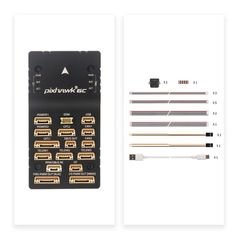
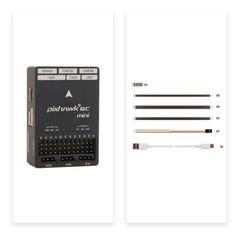
The 6C Mini is sold as Model-A (SKU 11088) and Model-B (SKU 11079). These mark variants of the same controller; one is not better than the other. They are also exactly the kind of suffix that falls off a purchase order, so quote the SKU instead of "a 6C Mini", and check which connectors and cables the quotation includes.
None of these four choices gives you redundancy. If your requirement mentions redundancy, ask how many independent inertial measurement units and independent power inputs the whole system has. The controller, the power modules and the wiring decide that together.
Redundancy comes from the whole system
Redundancy varies across this family, and the differences are documented. The Pixhawk 6C has two analog power inputs; the 6C Mini has one. The 6X and 6X Pro have two power inputs with digital sensing. So saying "a Pixhawk" tells you nothing about supply redundancy; the particular model does.
A second IMU lets the estimator ignore one that has failed or saturated. Whether that helps depends on how they are mounted, and the documentation is specific here: on the 6X Pro, the ADIS16470 (±40 g) and IIM-42652 (±16 g) are isolated inside the module, while the ICM-45686 (±32 g) is hard-mounted. That isolation is in the autopilot itself, so don't credit your baseboard or rubber mounts with all of your vibration performance.
How you mount it in the vehicle still matters, and that is a separate problem: the module can't isolate itself from a resonance in your airframe. In the same way, a second power input only helps if the two inputs come from different sources. Two leads from one regulator are one supply with extra wiring.
So describe the redundancy you need as a system: two independent supplies from two sources on two connectors, and sensor isolation that damps the frequency your airframe produces. Then choose the controller that supports it. Each model's sensors, ports and power inputs are on its product page, from the manufacturer's specification. On the 6X they change between revisions, so confirm which revision you are getting.
Dimensions: on a 6X, measure the baseboard
For the 6C and 6C Mini, you design around the controller's own dimensions. For the 6X and 6X Pro, the module plugs into the baseboard, and it is the baseboard's outline, mounting holes and connector faces that have to fit the bay. A Mini Baseboard and a Jetson baseboard hold the same module and take up very different amounts of space.
Take the mounting pattern and stack height from the baseboard drawing, and remember the height: the module sits on top of the board and the cables leave the connectors sideways. A bay that fits on a flat layout often fails once you allow for the bend radius of the loom.
There is an upside worth planning for. Because the module and baseboard are separate, you can upgrade either one, a newer module on the same baseboard or a different baseboard under the same module, without redesigning the airframe. On a 6C, changing the controller means changing everything it connects to.
The exact-variant checklist
These six lines decide whether what arrives is what the aircraft needs. Send them with your quote request and put them on the order.
1. The SKU, not the family name. "Pixhawk 6C" covers two part numbers and "6C Mini" covers two more. 2. Baseboard, for a 6X or 6X Pro. Name it explicitly, including whether a case is included — the Jetson baseboard is listed both with (11072A) and without (11072) one.
3. The cable and connector set. Confirm what is in the box against the ports you intend to use, including the GPS, power and telemetry leads. 4. Firmware and stack. State PX4 or ArduPilot and the release you are targeting, because that is what decides whether a given peripheral is supported on a given port.
5. The peripherals it must talk to. List the GNSS receiver, power module, telemetry radio, airspeed sensor and companion computer by model, with the interface each one uses. 6. Quantity and spares policy. A development programme that will fly the aircraft hard should price a spare controller against the cost of a grounded airframe.
The four variants, and what each one commits you to
The rows are grouped by the choice that separates them: whether the connectors come with the controller, or with a baseboard you choose next.
| Variant | Holybro SKU | Baseboard | Distinguishing feature | What decides the I/O |
|---|---|---|---|---|
| Pixhawk 6C (Plastic) | 11054 | Integrated | Plastic housing; lighter and lower cost | The controller |
| Pixhawk 6C (Aluminum) | 11055 | Integrated | Aluminium housing | The controller |
| Pixhawk 6C Mini Model-A | 11088 | Integrated | Smaller footprint; Model-A variant | The controller |
| Pixhawk 6C Mini Model-B | 11079 | Integrated | Smaller footprint; Model-B variant | The controller |
| Pixhawk 6X | 11073 | Separate, required | Modular compute on the Pixhawk Autopilot Bus | The baseboard you choose |
| Pixhawk 6X Pro | 11070 | Separate, required | Higher-tier module in the same modular family | The baseboard you choose |
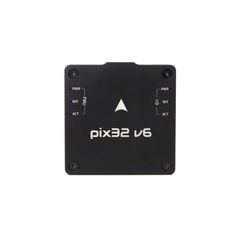
| Pix32 v6 | 11056 | Separate, required | Modular alternative with its own baseboard range | The baseboard you choose |
Full specifications are on each product page. Some change between hardware revisions (the 6C Mini Model-A has two mechanical revisions and the 6X two sensor revisions), so put the SKU on the purchase order and confirm the revision.
Parts in this guide.
Check the exact variant and revision before you order.
Pixhawk 6C Aluminum
Integrated controller, aluminium case. SKU 11055.
Pixhawk 6C Mini Model-B
Integrated controller in the smaller footprint. SKU 11079.
Pixhawk 6X
Modular compute module. Order a baseboard with it. SKU 11073.
Pixhawk 6X Pro
The higher-tier module in the same family. SKU 11070.
Pixhawk Standard Baseboard V2B
General-purpose baseboard for the 5X, 6X, 6X-RT and 6X Pro.
All autopilots and baseboards
The full range, with every SKU and baseboard option.
Sources.
- Part numbers, product-line grouping and variant names for the Pixhawk 6C, 6C Mini, 6X, 6X Pro and Pix32 v6, and for the five compatible baseboards, from the manufacturer's published specifications.
- Interfaces, sensors, power inputs, dimensions and mass: Holybro's documentation, linked below, read on 7 September 2026.
- Pixhawk 6C technical specification (accessed 2026-09-07)
- Pixhawk 6X technical specification (accessed 2026-09-07)
- Pixhawk standard baseboard V2 ports (accessed 2026-09-07)
- Pixhawk Mini baseboard ports (accessed 2026-09-07)
- Pixhawk 6C Mini technical specification (accessed 2026-09-07)
- Pixhawk 6X Pro technical specification (accessed 2026-09-07)
- Power module comparison (accessed 2026-09-07)
Published 7 September 2026. Last revised 25 September 2026. Corrections to sales@vebixautomation.com.
Choosing between Pixhawk variants?
Send us the peripherals the controller must talk to, the space you have and your firmware stack. We will reply with a shortlist of parts that work together, including the baseboard and cables. Ask for a quote.
More on drones and autopilots
- Analog, digital or DroneCAN: choosing a Pixhawk power moduleMatch a Pixhawk power module to its controller: analog sensing, I2C digital sensing and DroneCAN, plus voltage, current and wiring checks before ordering.
- Building an AI research drone: integrating a companion computer with PixhawkFit a companion computer to a Pixhawk: who does what, serial and Ethernet links, separate power, cooling and a bench-test checklist.
- Drone GPS, RTK and dual-antenna heading: which do you need?Choose drone GNSS by positioning and heading needs. Compare standard GPS, RTK corrections and dual-antenna yaw, with a Holybro sourcing checklist.
- How to choose a UAV telemetry radio: data rate, range and ground-station compatibilityChoose a UAV telemetry radio: data rate against range, a worked 915 MHz link budget, antennas and ground-station fit.
- Choosing a drone ESC: PWM, DShot, telemetry and programming compatibilityChoose a drone ESC by control protocol, telemetry path and firmware family: PWM versus DShot, BLHeli-32 versus AM32, configuration tools and troubleshooting.
- Holybro S500, X500 V2 or X650: choosing a drone development kit for researchCompare Holybro S500 V2, X500 V2 and X650 drone kits: wheelbase, included propulsion and avionics, frame versus ARF versus development format.